New: the redesigned PencilAide app

A clearer school week. More confident moments together.

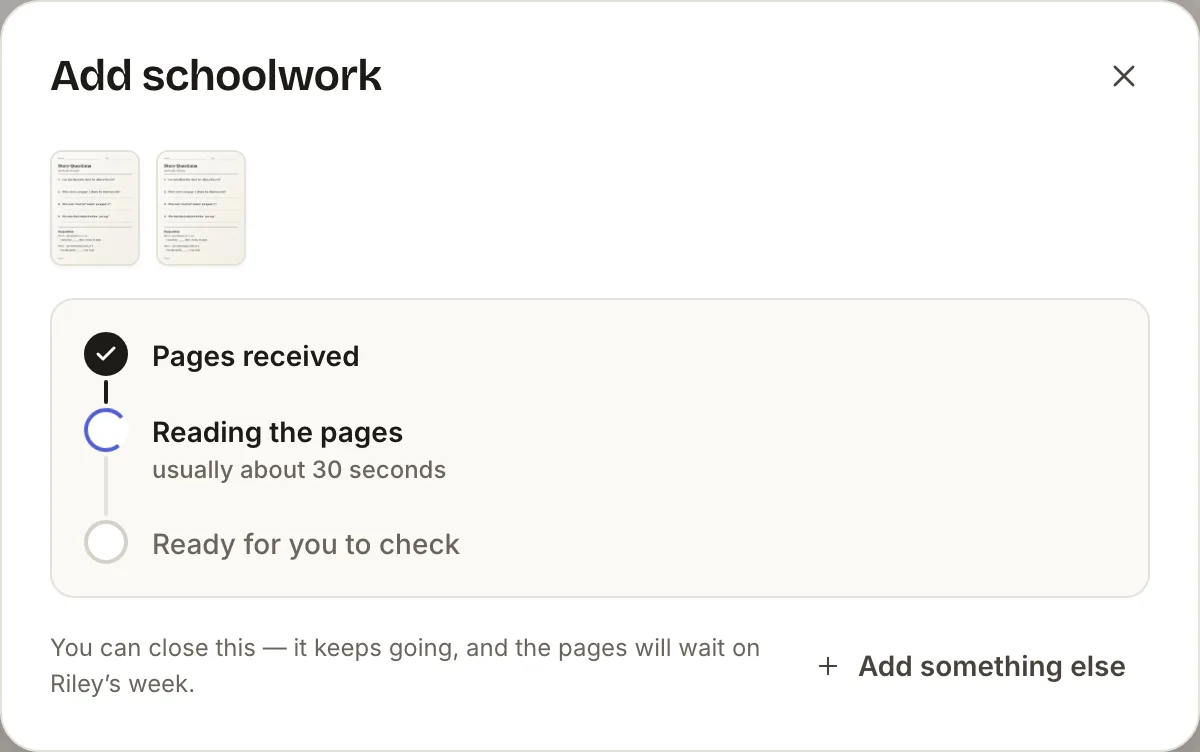
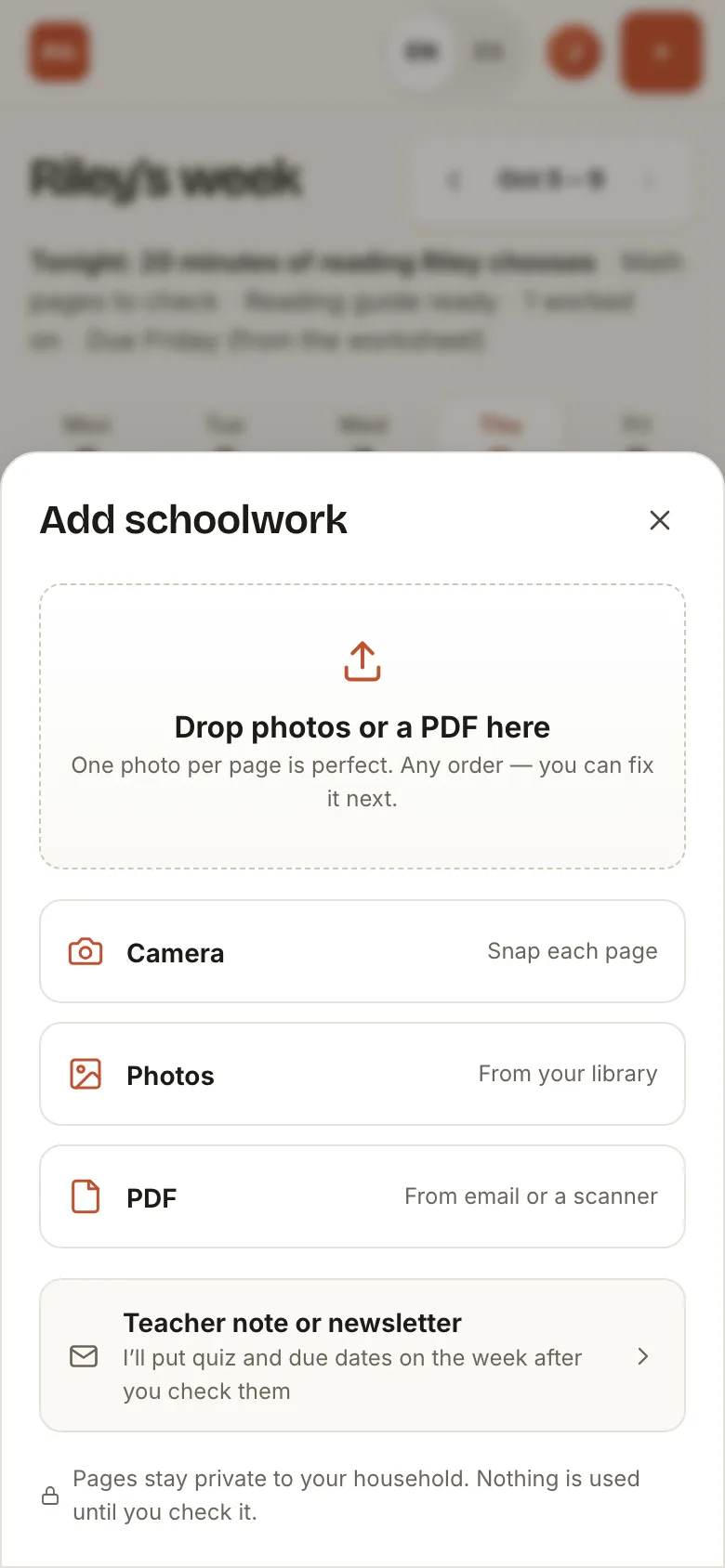
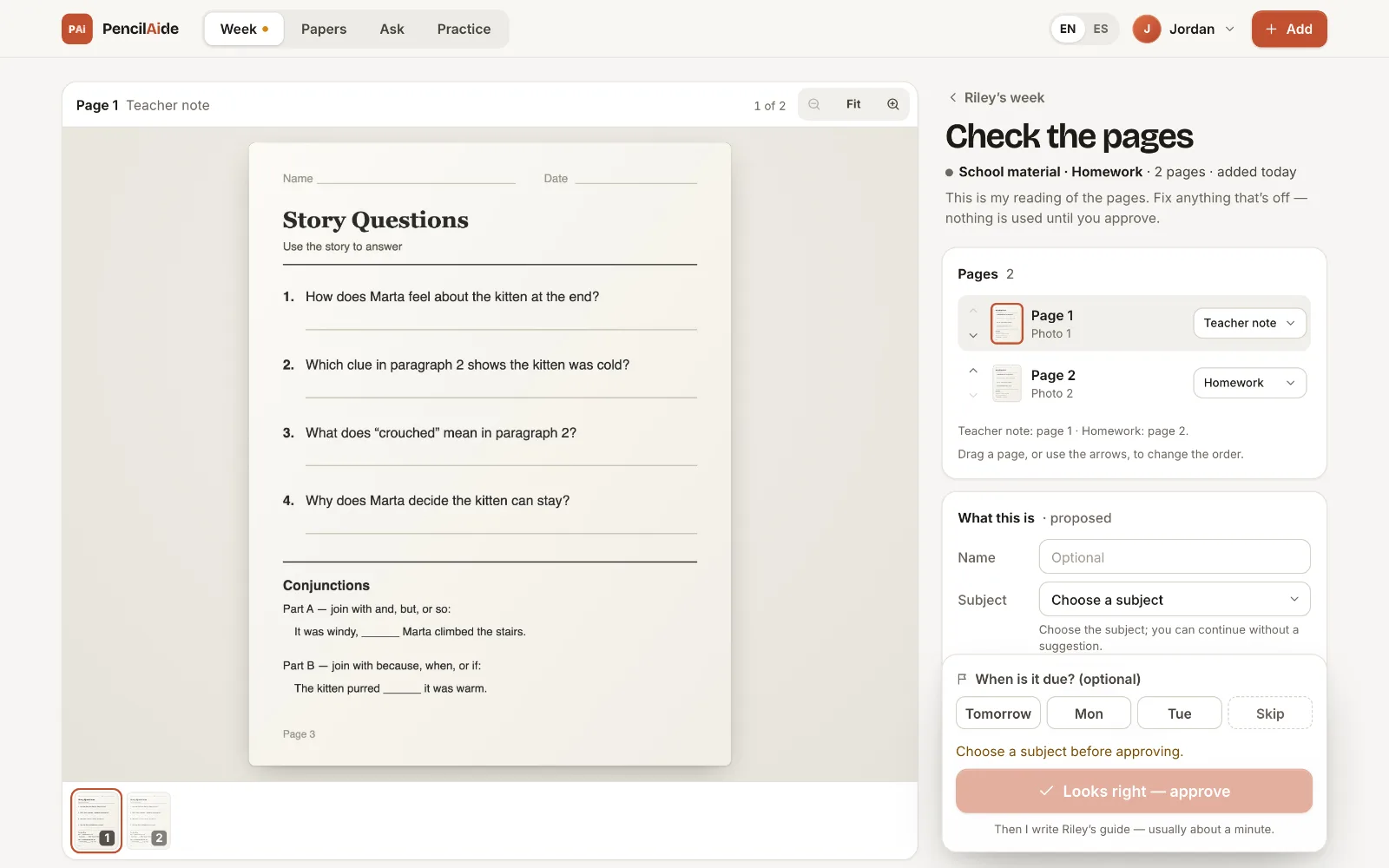
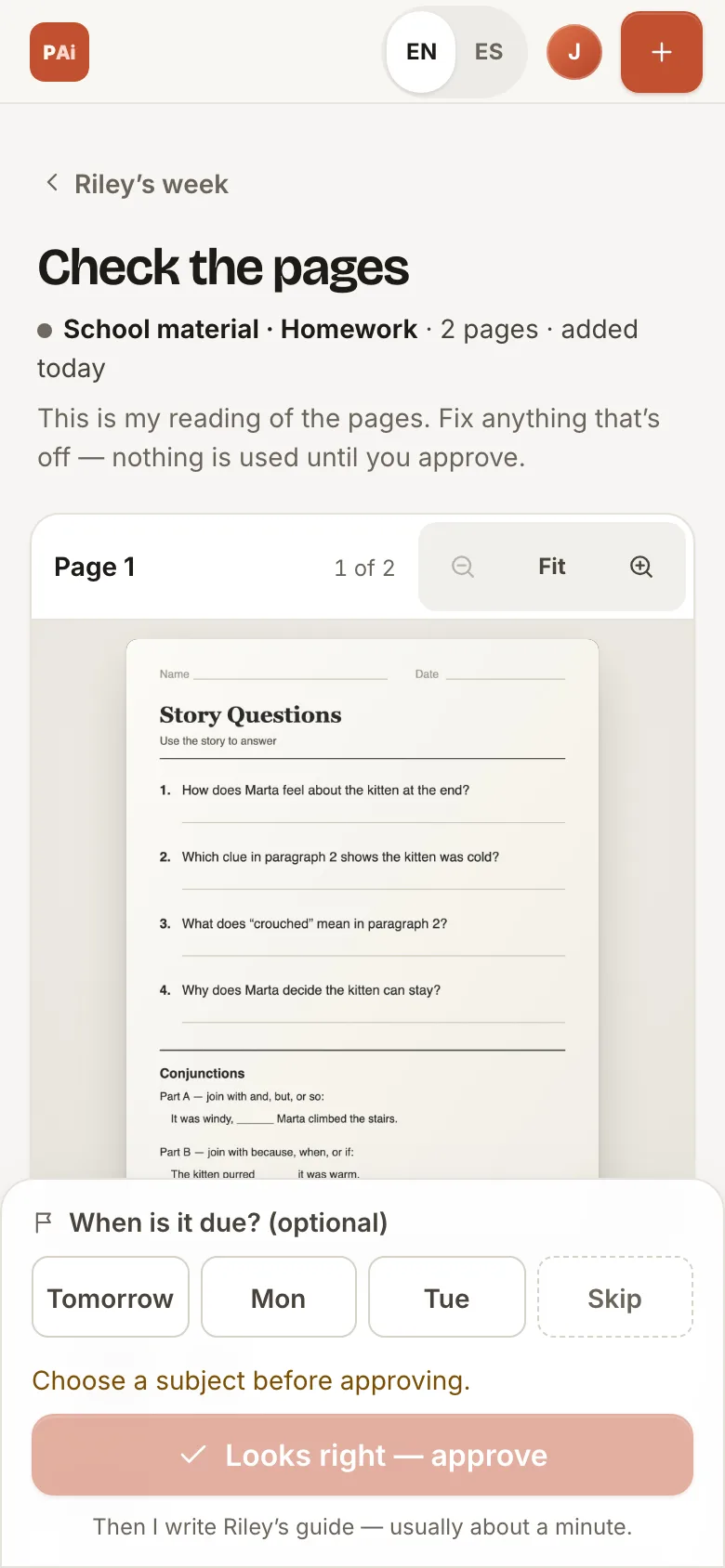
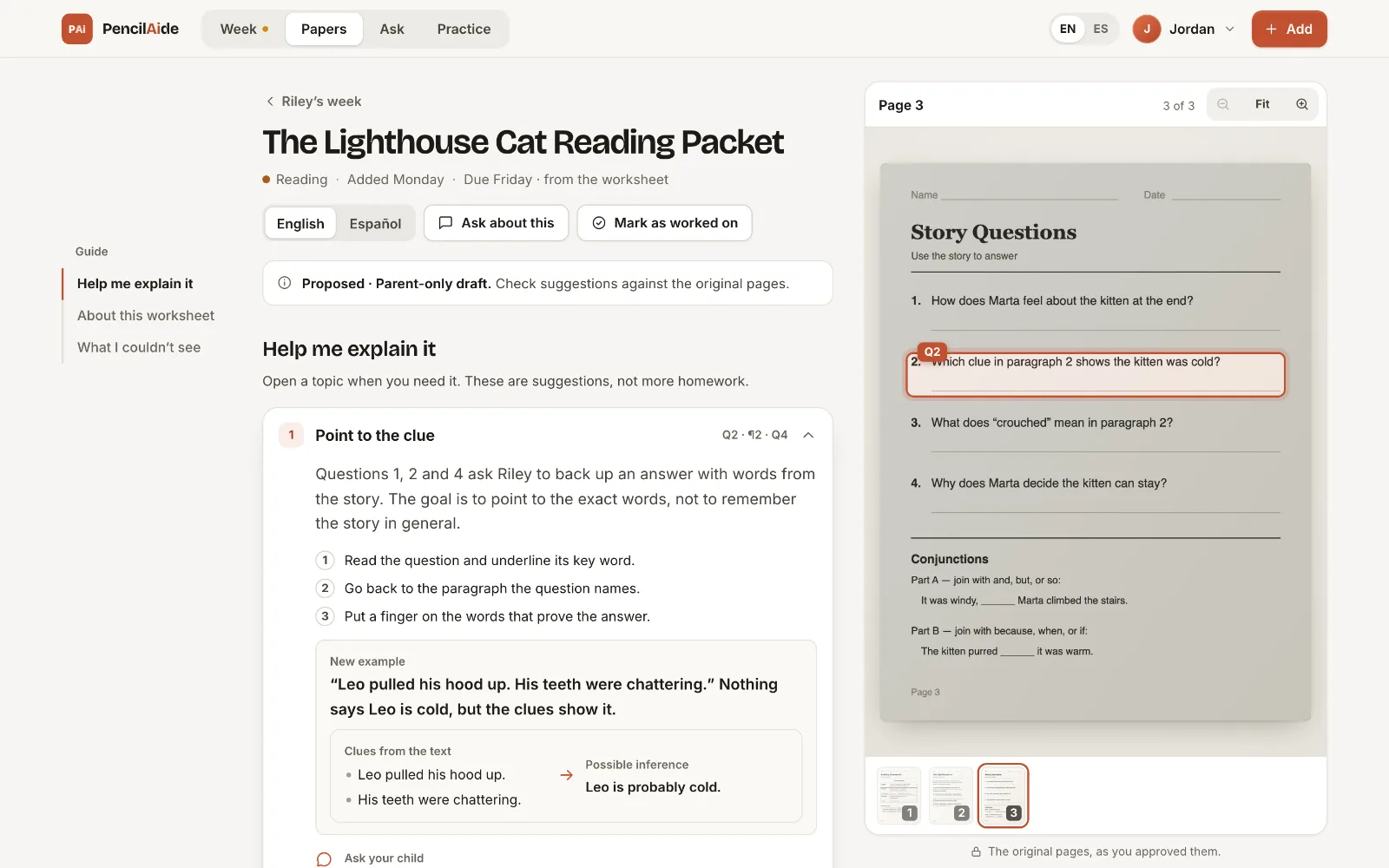
Built by parents, for parents. Snap the worksheets that come home. PencilAide reads them, you check what it read, and the week comes together on one board, with a Parent Guide beside the original page when you need a way to explain it.

Private pilot, by invitation. Screens show a fictional sample household.

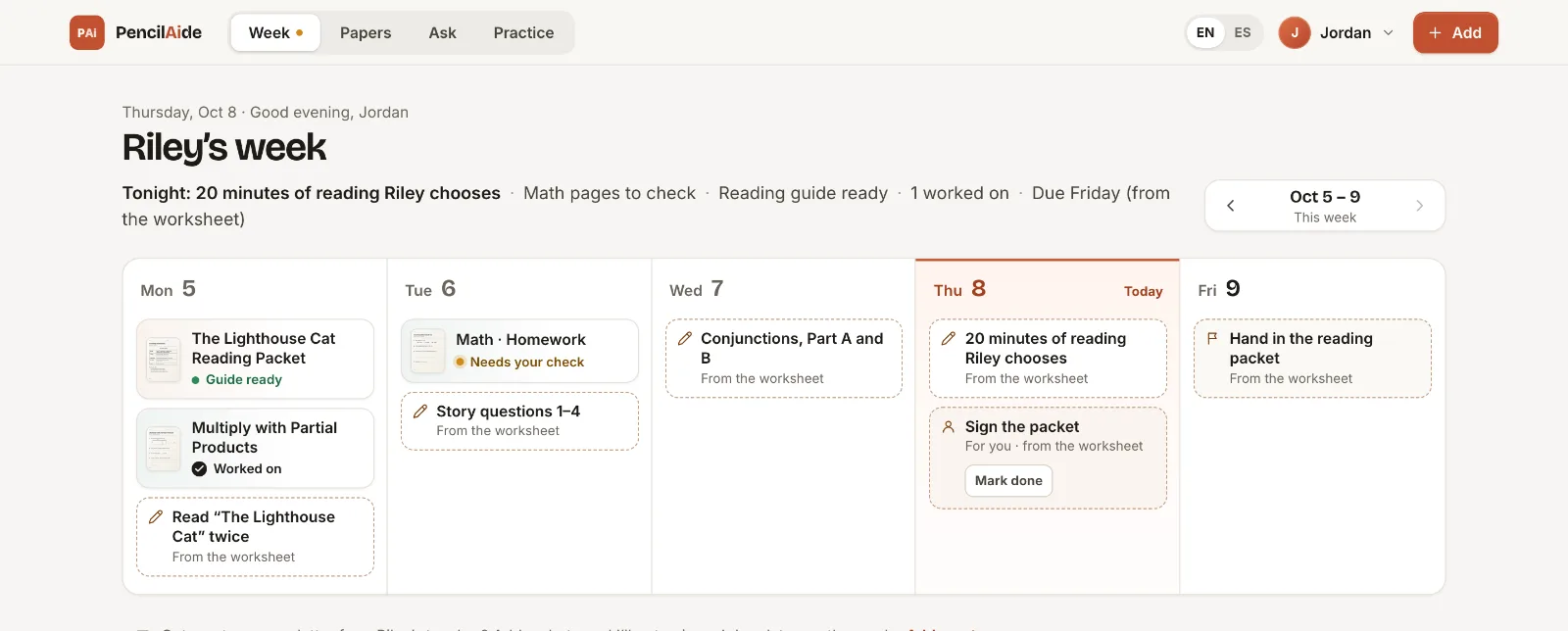
Sample household (fictional): Riley’s week on the PencilAide board, with papers, their status and worksheet steps on each weekday.
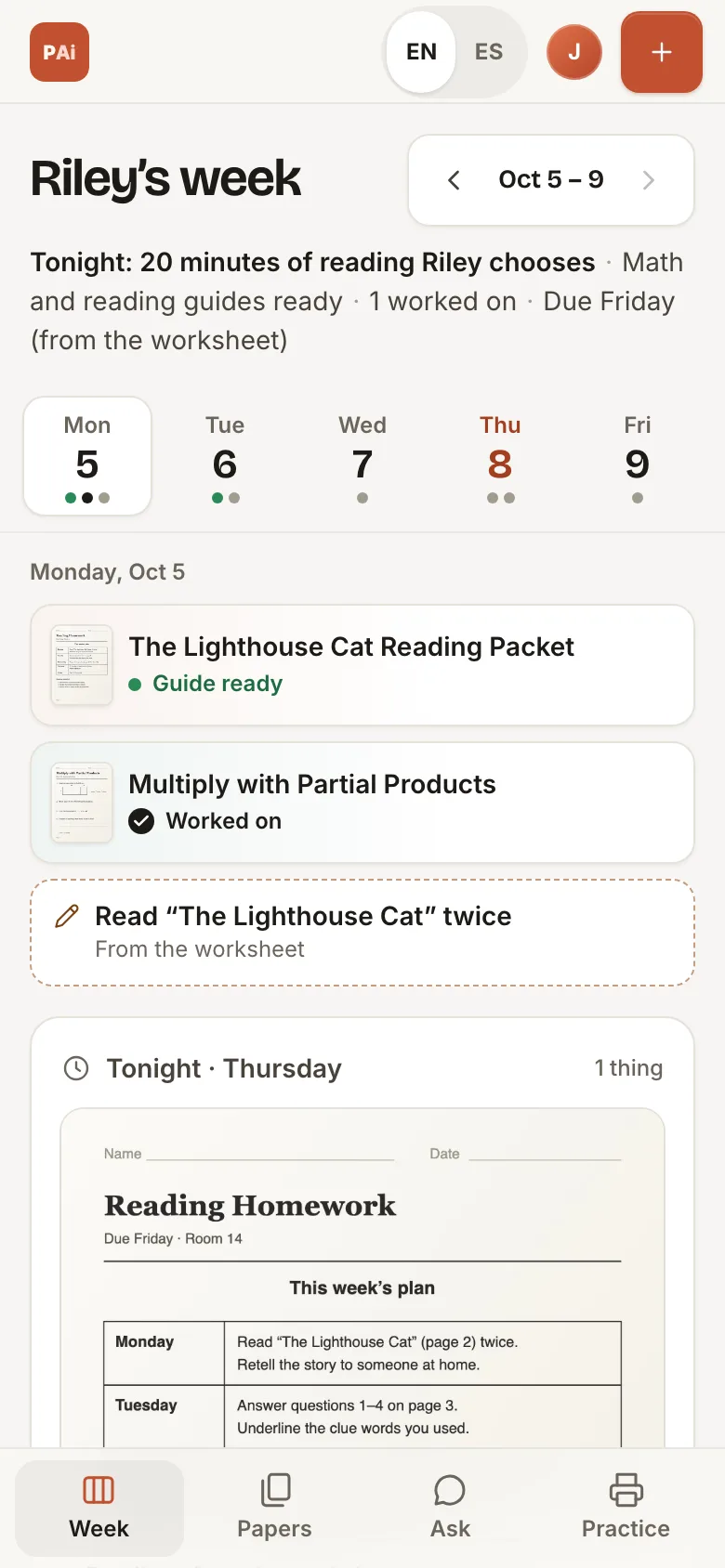
Sample household (fictional): the same week on a phone, showing Monday’s papers.
The redesigned app on desktop and phone · sample household

What’s new in the redesign

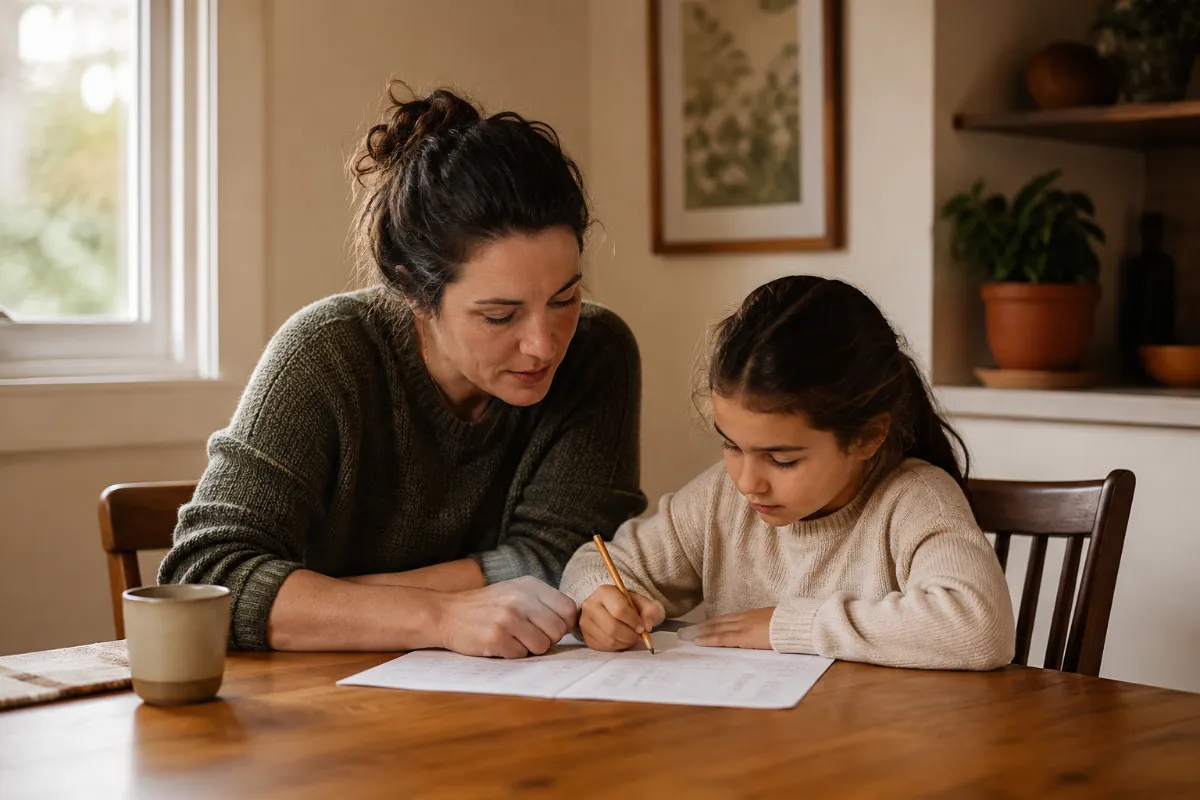
A parent and child thinking through schoolwork together at a kitchen table.

BUILT FROM A FAMILIAR MOMENT

“Can you help me with this?”

Of course you want to help. It’s been a while since you learned it yourself, and you want to explain it in a way that makes sense to your child.

That’s where PencilAide begins. We’re building it around the school week in our own family, with a simple aim: help parents become more confident learning partners.

The best part still happens between you and your child.

A LOOK INSIDE THE REDESIGN

Built around how a school week actually goes.

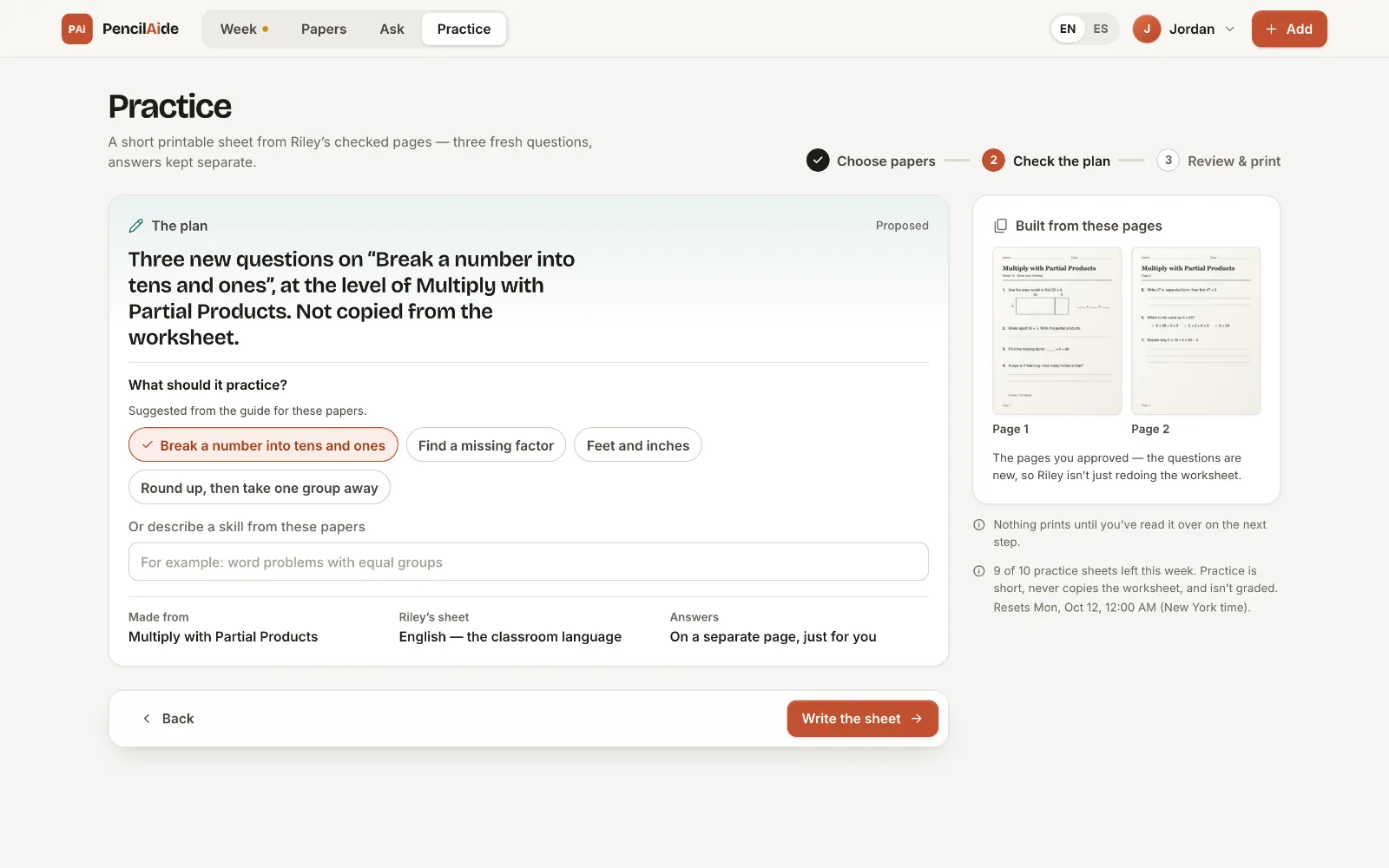
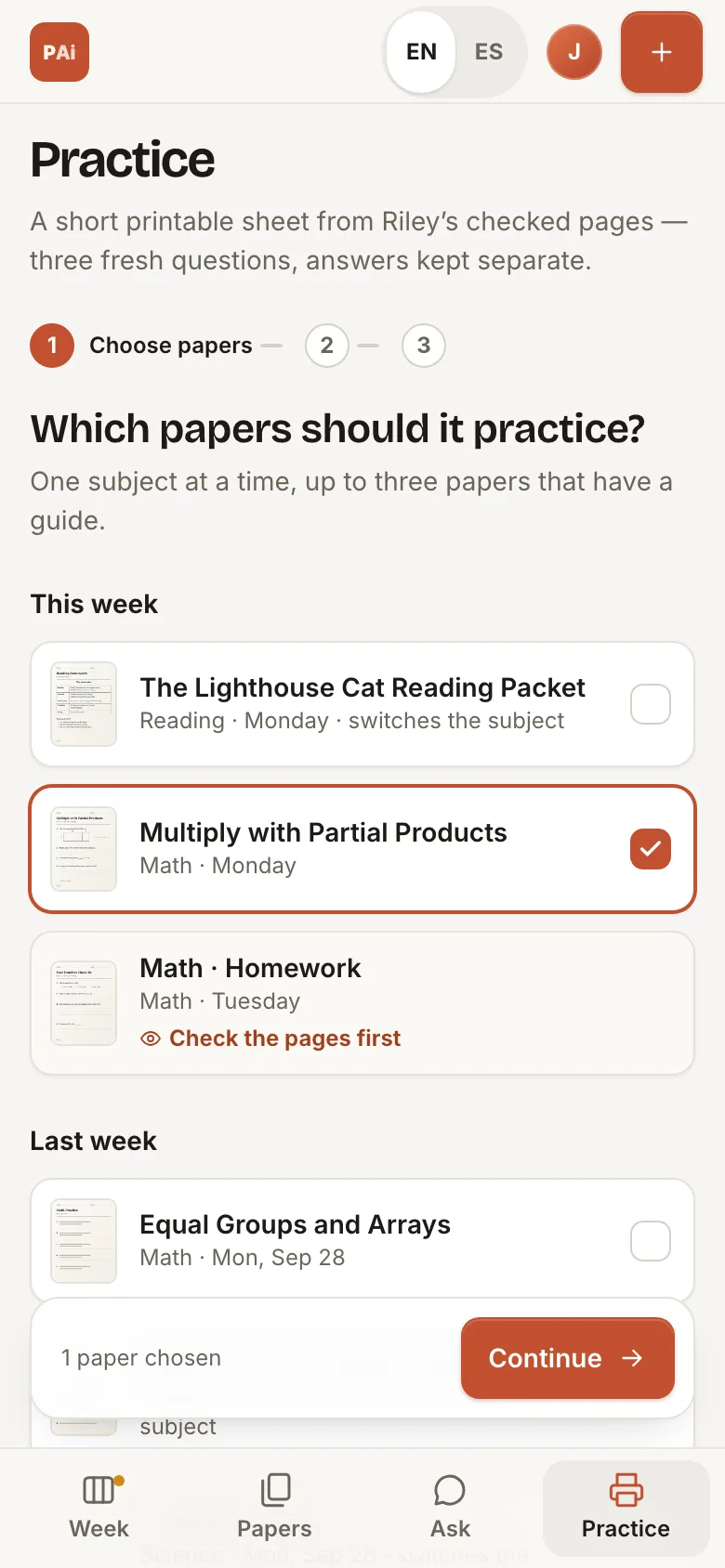
This fall we rebuilt PencilAide around the week board. From the photo of a worksheet to a short practice sheet, here’s each step.

Every paper on its day.

Papers land on the day you added them, with a status you can read at a glance. Due dates appear only when you set them or the worksheet prints them. PencilAide doesn’t guess dates.

  • Day-by-day steps from a printed worksheet plan, after you accept them
  • Mark a paper as worked on: your own marker, not a grade
Sample household (fictional): Riley’s week in the PencilAide app, with papers and worksheet steps on each weekday.

Real app screens with a fictional sample household. No real family’s schoolwork is shown.

CHAT MEMORY · INCLUDED

It remembers what worked.

Every school week builds on the last. Your helper should too.

When an explanation clicks, like drawing equal groups for multiplication, PencilAide can remember it from your recent chats and build on it the next time you ask. You don’t start from scratch every week.

  • Builds on what helped

    Replies can draw on what worked in your chats from the last 30 days.

  • Shows when it remembers

    If a reply used an earlier chat, a link under it shows you which one.

  • Yours alone

    Each parent’s memory is private, and you can see, correct or forget what it saved.

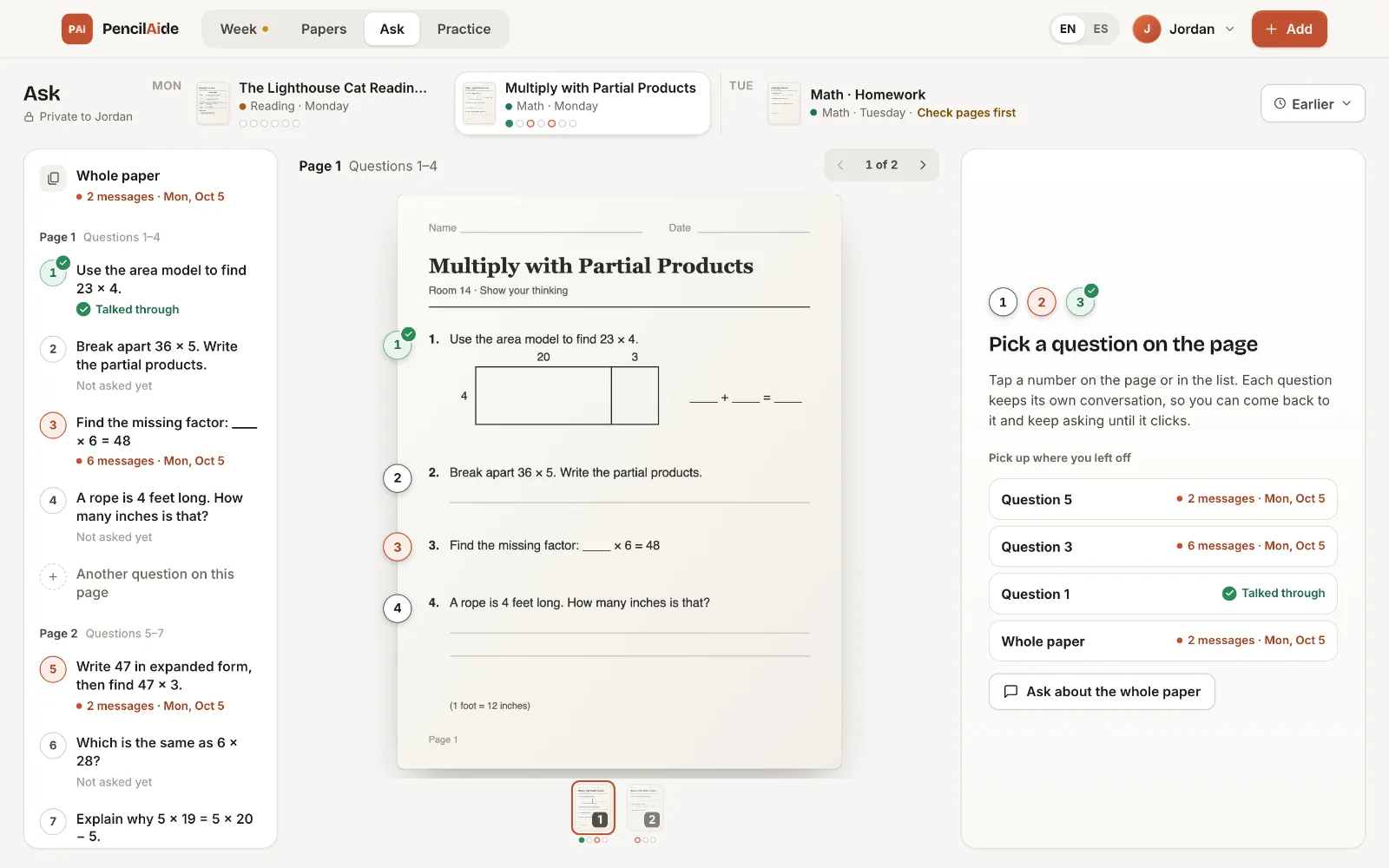
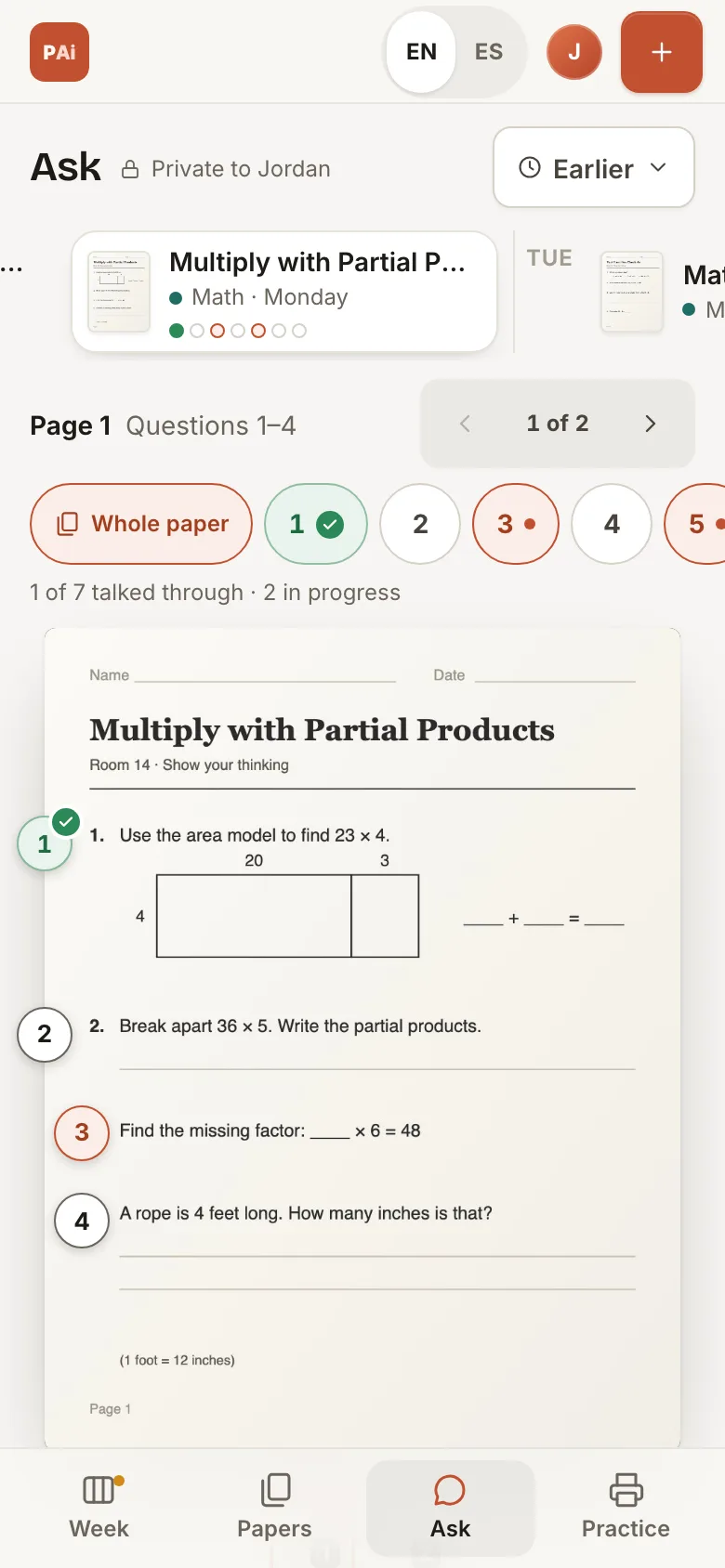
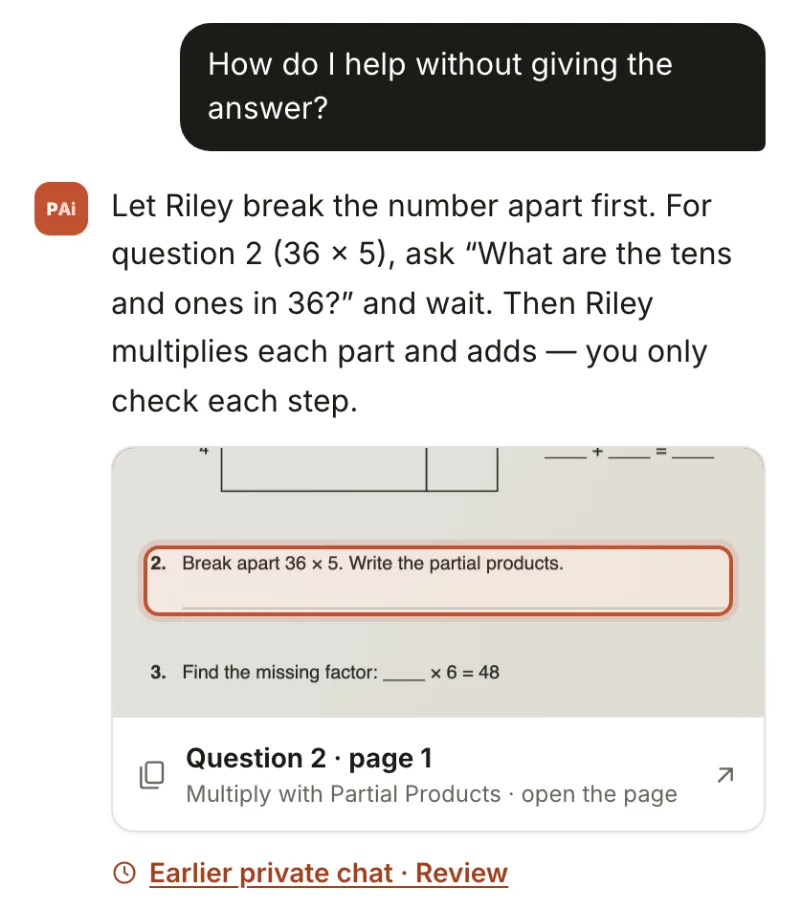
Sample household (fictional): an Ask reply about a math worksheet, with an “Earlier private chat” link showing that PencilAide drew on an earlier conversation.
The “Earlier private chat” link under a reply shows PencilAide drew on something you talked about before. Sample household.

PARENT GUIDES

A parent guide for
the moment you’re in.

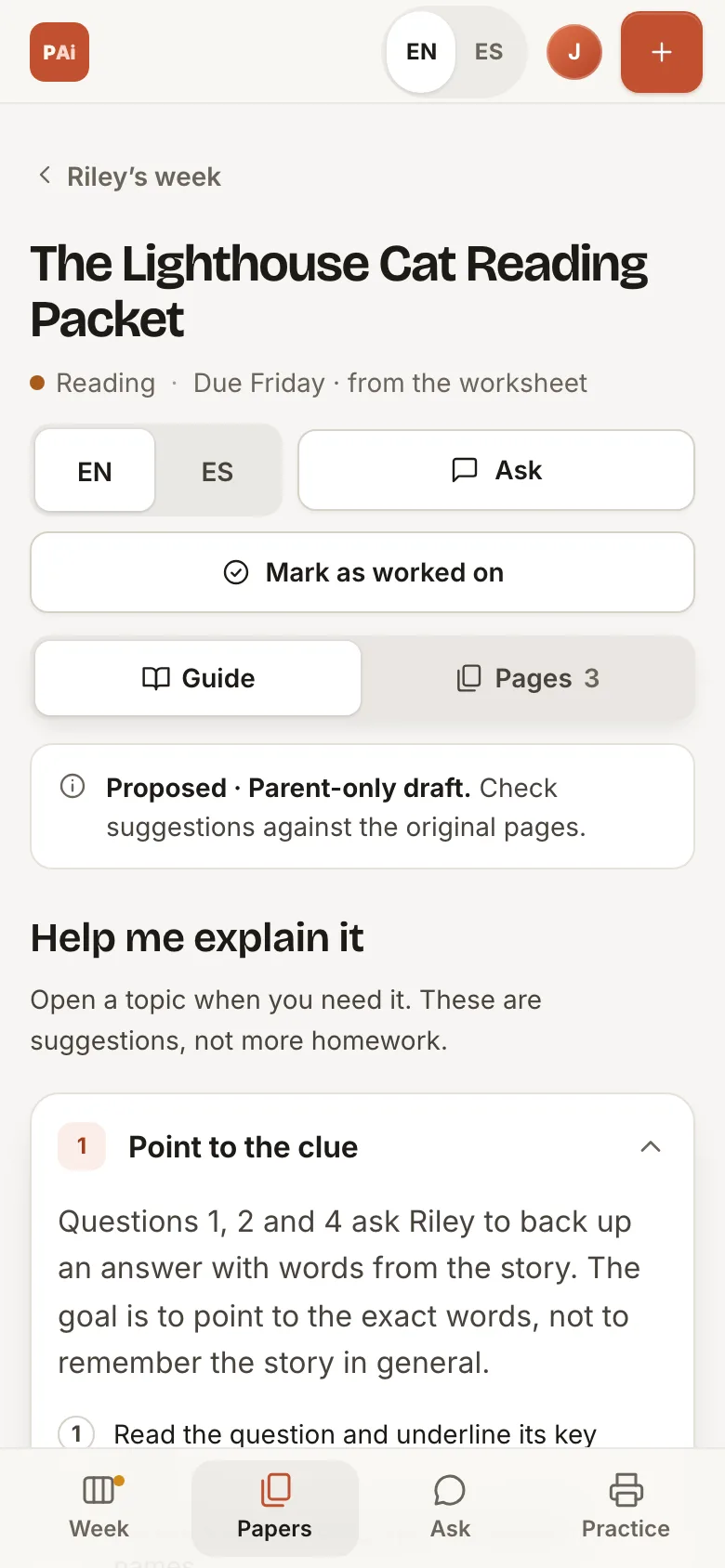
A worksheet tells you what’s assigned. Sometimes you need a little help finding the words to explain it.

Each guide starts from the pages you approved: a clear explanation, something to say and a question to ask together. Here are three short examples written for this page.

“They can tell me what happened. How do I help them explain why the author wrote it?”

Explore a guide

READING · PARENT GUIDE

Illustrative guide · Fictional content

Why did the author write this?

Help your child look for a reason, then find the clues.

A SHORT SAMPLE PASSAGE

“Bring a refillable bottle to school. Together, we can use fewer throwaway bottles.”
A WAY TO EXPLAIN
An author’s purpose is the reason for writing. Here, the author wants readers to take action: bring a refillable bottle.
SOMETHING TO SAY
“Let’s find the words that tell us what the author wants us to do.”
A QUESTION TO ASK
“Which words make this a request? What reason does the author give?”
A LITTLE PRACTICE
Try a sentence that simply explains how a bottle is made. Talk about how its purpose differs from asking someone to bring one.
ENGLISH · ESPAÑOL

The same week, in your language.

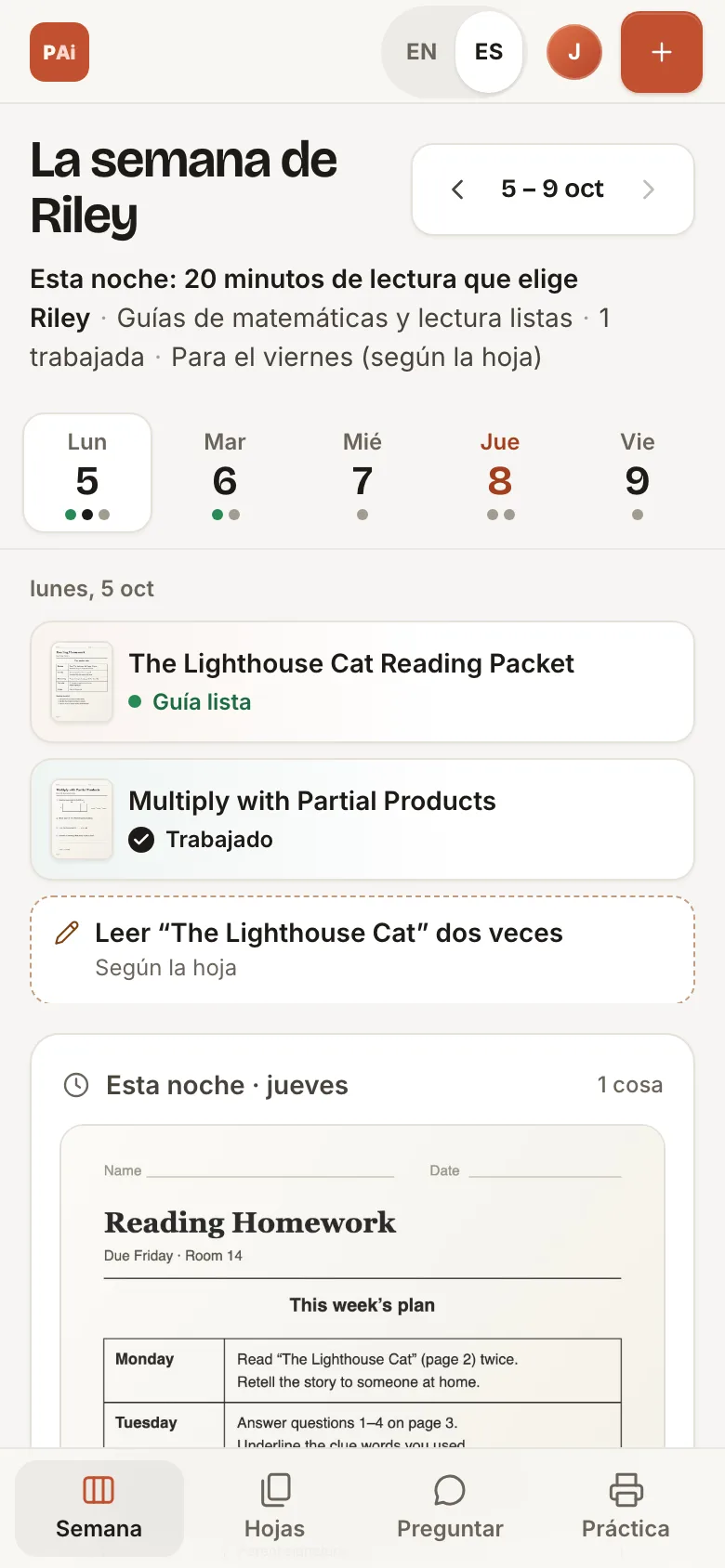
Each parent chooses English or Spanish for the whole app, and the choice is saved for them. Guides open in English and switch to Spanish when you ask.

Worksheets stay as the teacher wrote them, and your child’s practice sheet stays in the classroom language.

Sample household (fictional): Riley’s week on a phone, in English.
English
Sample household (fictional): Riley’s week on a phone, in Spanish.
EspañolThe teacher’s pages stay as they came home.

YOU KNOW YOUR CHILD. YOU STAY INVOLVED.

Private by design. You in the loop.

You approve what was read.

AI can misread a page. PencilAide shows you what it read, and nothing is used until you approve it.

The original stays in charge.

Your pages are kept as you added them. Guides, replies and plans are proposals to check against the original, not an answer key and not the teacher’s word.

Parent-only, and private to you.

PencilAide is for parents, not a child account. Your Ask chats are private to you; the other parent in your household can’t read them.

Memory is stored with AWS, and relevant context is sent to OpenAI to help write replies. The app shows this same notice before memory is used.

GROWING ONE SCHOOL WEEK AT A TIME

Starting small.
Learning together.

The redesigned app reached our private pilot in October 2026. It brings together the week board, checking what was read, Parent Guides, Ask, chat memory and printable practice. We’re using it through real school weeks and learning what helps.

The pilot is invitation-only. You can request access, and we’ll reach out if we can invite your family.

A SMALL, INVITATION-ONLY PILOT

Try a clearer school week.

Interested in trying PencilAide with your family? Tell us on the app’s request-access page.

Request pilot access

Requesting access doesn’t create an account or guarantee an invitation.